
Reporting tools Draft
In the BiodivOcean project you can report our observations to a community.
We use two Communitys for this. iNaturalist and MINKA. These non profit projects aims to increase understanding of biodiversity and users can contribute to science with their observations.
You can download apps to your mobile phone here. You can also work with your computer.


1. Sign up on iNaturalist or MINKA
Sign up to iNaturalist or MINKA. If you have a account before, just log in.
You can the report any observations that you do in nature to iNaturalist or MINKA. It is very practical to do this with your mobile phone. Just take picture, write the specie name you have on the picture. It is the Same working method on a computer for reporting. Upload an image and fill in the form.
The reason that we use these systems is that we do not have to create our own system and we can share our observation easy with other people in the world.
When you have signed up for an account you can start reporting.
2. Connect your observation to our project Biodivocean.
This is important. If you add our BiodivOcean project to your observation, we can show your work on our website. Link to observations. You will also be able to fill in a number of extra fields in the report form.
3. How to connect to BiodivOcean project.
Find the project button in your choosen app. Then search for "BiodivOcean". When you find that project tap on "Be a member". Then you are ready for reporting.
Please look at the movie below (iNaturalist classic app for IOS).
Android iNaturalist app
4. How to report
Film tutorial.(Beta version) For deeper explanation scroll down.
Screenshots and explanation of the reporting process.
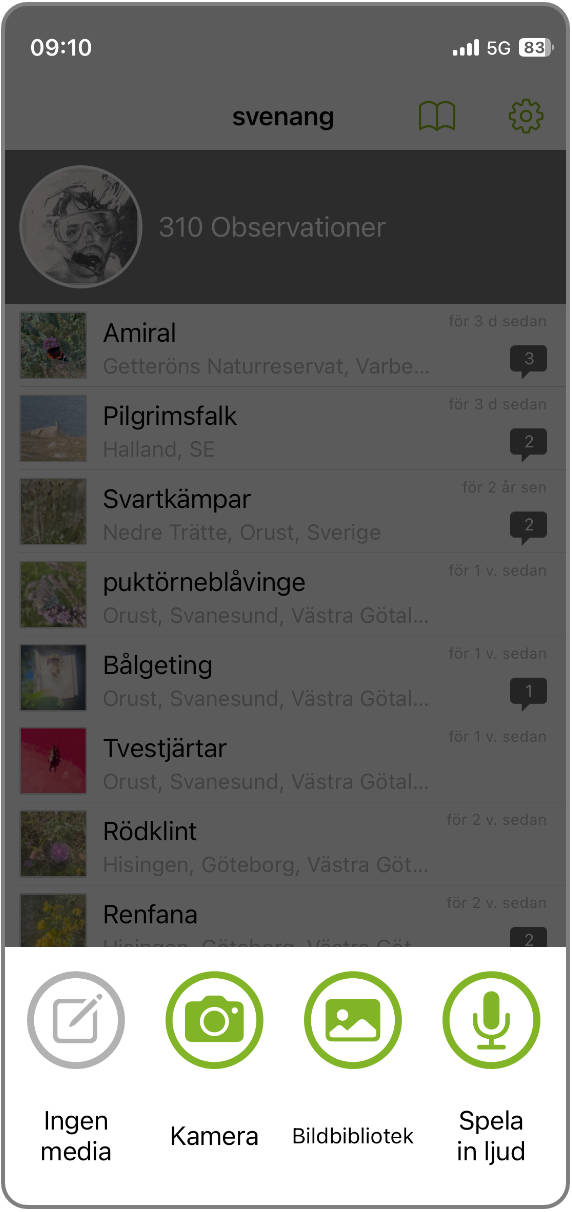
Choose Camera och an image from your image library.
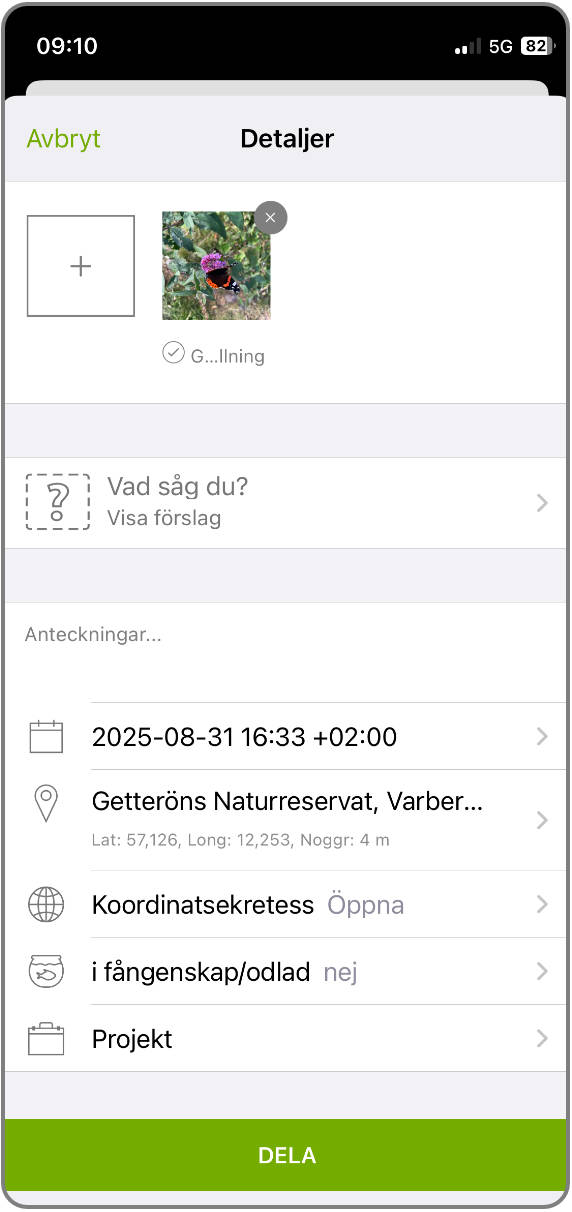
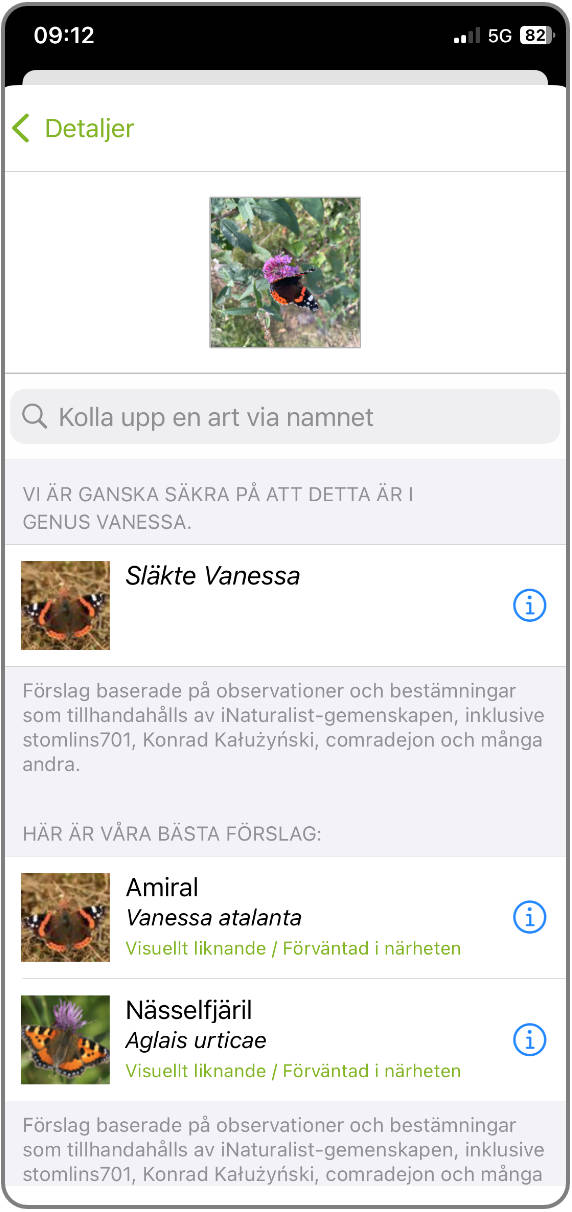
Tap on "?" then you got suggestions from iNaturalist ai system. Chose one of them. If you are not sure of what you have, choose a ai suggestion. It is likely that a species specialist will help you with the species identification later. Of course you can type in your own identification. Note that MINKA does not have ai.
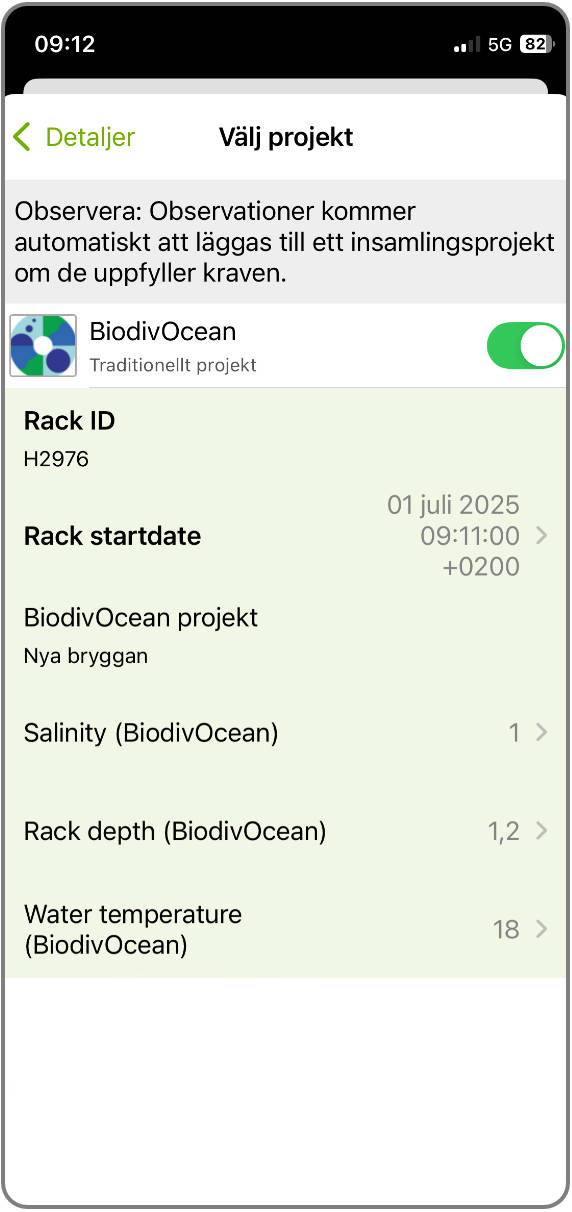
Then chose BiodivOcean project.
In Biodivocean we have som extra field to fill in. Two of them are mandatory. Rack ID is for your needs, if you have many racks, it might be good for you to be able to sort these observations on our website later. Choose a simple name, make an own system of names for this purpose. The other mandatory field is Rack startdate. Here, fill in the date when you put the racket in the water. This will allow us to calculate how long the racket has been in the water. The rest of the field is not mandatory, you can use them if you want.
Tap the green "Share" button to save your observation.
Finished! Now you can se your observation in the app. You can also se the observation on our website. https://www.biodivocean.eu/observations. Here we can see data from the extra fields.